

Project Summary
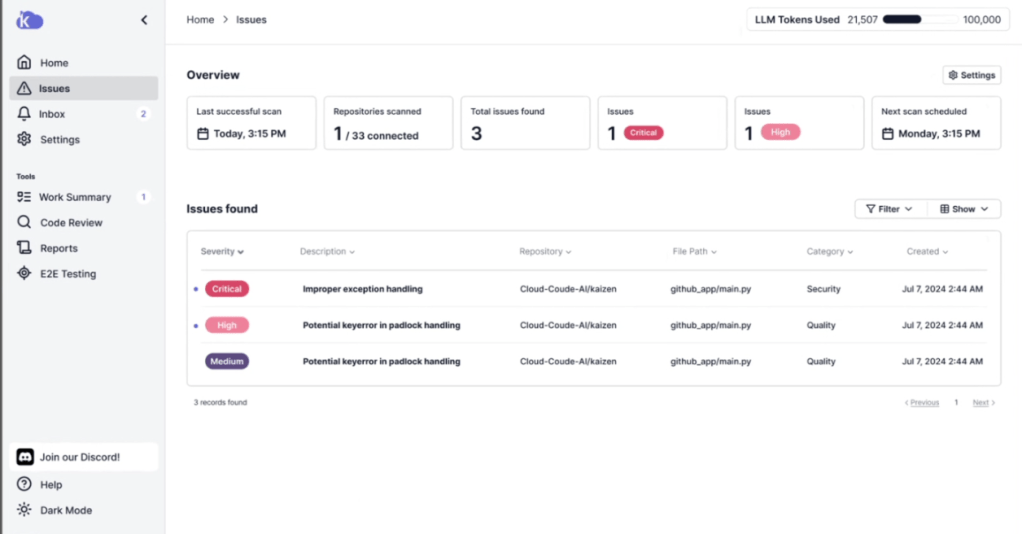
CloudCode AI was developed to enhance code testing and review using artificial intelligence, aiming to increase developer productivity. Despite its advanced capabilities, developers encountered usability challenges that hindered adoption, particularly during the:
- Onboarding process, which was confusing and time-intensive.
- Integration with GitHub, which lacked clarity and real-time feedback.
- Navigation of the platform, which made key features like “Code Scan” difficult to find.
These pain points led to frustration, confusion, and reduced engagement, limiting the tool’s potential impact.
Key Outcomes
- Enhancing Onboarding: Developed interactive guides and tutorials to help new users get started quickly, reducing the learning curve.
- Simplifying Integration: Streamlined the GitHub connection process with clear instructions and real-time feedback to reduce setup frustration.
- Optimizing Navigation: Refined the user interface to improve accessibility, making key features like “Code Scan” easier to find and enhancing overall workflows.
- Key Outcomes
- Project Timeline
- Problem
- Key Insights: Challenges Hindering Adoption
- Proposed Solutions
- Impact
- Conclusion
- Citations
Team: Vera Schulz & C-Suit Team
- I conducted usability testing to validate changes before deployment and collaborated closely with product managers and engineers to ensure research insights were translated into actionable design improvements.
Key Outcomes
- Enhanced Onboarding: Developed interactive guides and tutorials, reducing the learning curve for new users.
- Simplified GitHub Integration: Streamlined the connection process with real-time feedback to reduce setup frustration.
- Improved Navigation: Refined the UI to make key features like “Code Scan” more discoverable, optimizing overall workflows.
Project Timeline
- Phase 1 (Aug 3–10, 2024): Platform walkthroughs and stakeholder meetings.
- Phase 2 (Aug 11–18, 2024): Pain point analysis and research planning.
- Phase 3 (Sept 1–20, 2024): User interviews and data collection
Problem
When developers first interacted with CloudCode AI, it became clear that usability challenges were not isolated incidents—they represented systemic issues. I employed a structured research framework to identify the underlying causes and design evidence-based solutions.
Why This Approach?
- Think-Aloud Protocols: Real-time observation allowed me to capture unfiltered developer reactions, identifying bottlenecks and unmet expectations—particularly in GitHub integration.
- Heuristic Evaluation: Applying Nielsen and Norman’s principles ensured a comprehensive assessment of UI inconsistencies, poor feedback mechanisms, and error prevention flaws.
- Semi-Structured Interviews: With limited resources, I prioritized in-depth interviews with engineers at varying expertise levels, uncovering nuanced insights about their workflows and friction points.
This mixed-method approach provided both breadth and depth, empowering me to surface critical usability issues and prioritize solutions effectively.
Key Insights: Challenges Hindering Adoption
1. Onboarding Complexity
- Developers felt overwhelmed by the absence of guided tutorials or contextual help, leading many to abandon onboarding midway.
- Vague instructions compounded their frustration, making it difficult to engage with the platform.
2. GitHub Integration Frustrations
- The integration process lacked clear, step-by-step guidance, leaving users to troubleshoot without real-time feedback.
- Errors were poorly communicated, further eroding user confidence.
3. Navigation Obstacles
- Users expected a streamlined and intuitive layout to align with their frequent tasks.
- Core features like “Code Scan” were deeply buried within the interface, increasing cognitive load and reducing productivity.
Proposed Solutions
1. Streamlined Onboarding
- Developed interactive guides and contextual tutorials to simplify the first-time user experience.
- Introduced progress indicators and tooltips, creating a sense of accomplishment and reducing cognitive overload.
2. Simplified GitHub Integration
- Designed a step-by-step integration process featuring real-time feedback and error prevention mechanisms.
- Added visual indicators to guide users through the setup with clarity and confidence.
3. Optimized Navigation
- Conducted tree testing to design an intuitive structure that prioritized frequently used features.
- Reorganized the UI to improve discoverability for tools like “Code Scan” and “E2E Tests.”
- Introduced a robust search functionality, allowing users to locate tools quickly.
Impact
By addressing these pain points, CloudCode AI became a more intuitive platform for developers. The enhancements to onboarding, GitHub integration, and navigation improved the overall user experience, allowing developers to fully utilize the platform’s capabilities with greater ease. These changes resulted in a more engaging user experience, driving adoption and increasing platform efficiency.
Conclusion
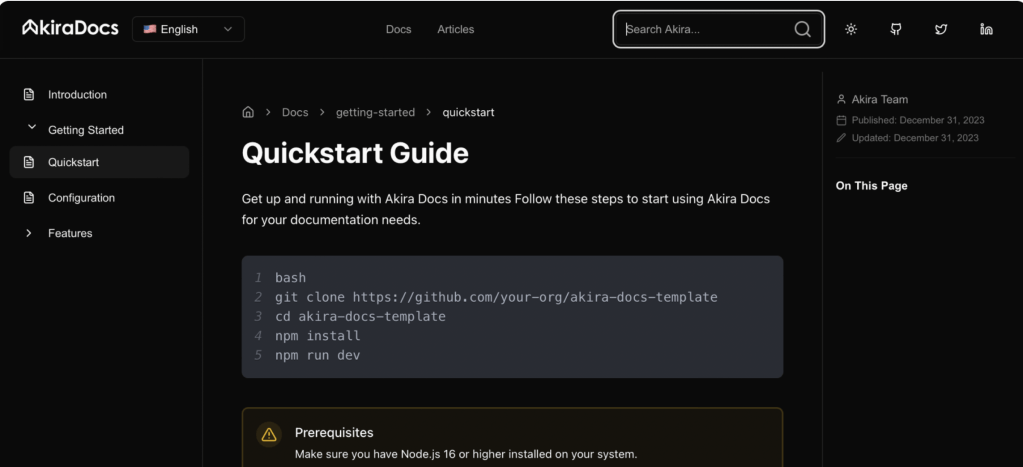
Following the research phase, the company pivoted to focus on technical documentation with AkiraDocs, leveraging AI to simplify creation, publication, and user navigation. While the shift changed the immediate trajectory, my research helped identify usability challenges and provided valuable insights that informed the company’s strategic decisions. The user interview findings clarified key areas for improvement, ensuring the company could prioritize effectively as they moved forward.
Citations
- Kern, A. (2020). Designing for Developer Productivity: Improving the UX of Development Tools. Apress.
- Lindgaard, G., & Chattratichart, J. (2018). Usability of Developer Tools: A Case Study Approach. Springer.
- Tullis, T. S., & Albert, W. (2020). Measuring the User Experience: Collecting, Analyzing, and Presenting Usability Metrics. Morgan Kaufmann.
- Saffer, D. (2019). Microinteractions: Designing with Details. O’Reilly Media.
 Vera J. Schulz