
Project Summary:
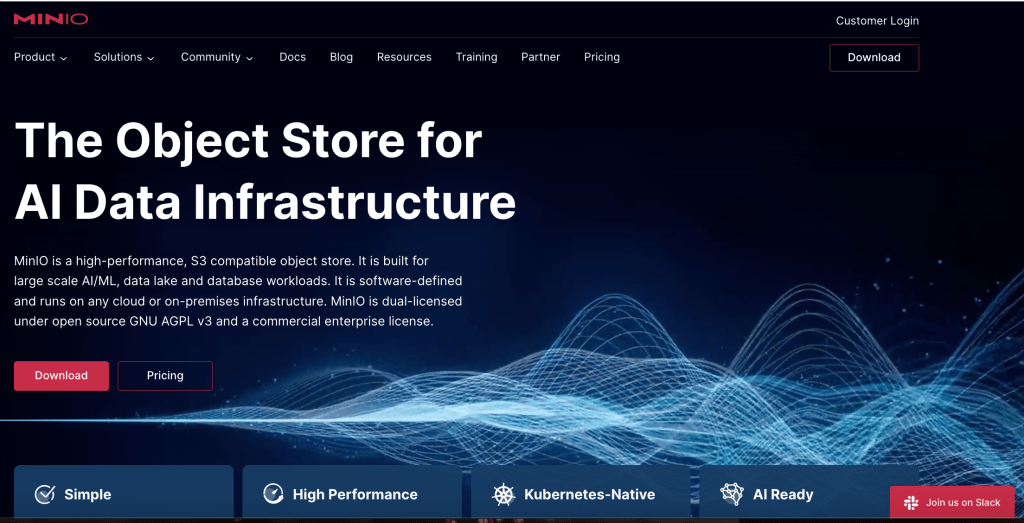
MinIO is a high-performance object storage tool used to manage huge amounts of unstructured data, like videos and images, across fields like AI and cloud computing. While powerful, MinIO’s user experience presented big challenges—especially for new users trying to get started and for advanced users navigating the console. These issues made it harder for people to fully explore and adopt the platform. My project set out to identify these roadblocks and suggest improvements that would make MinIO easier to use and encourage more people to rely on it.
Key Outcomes:
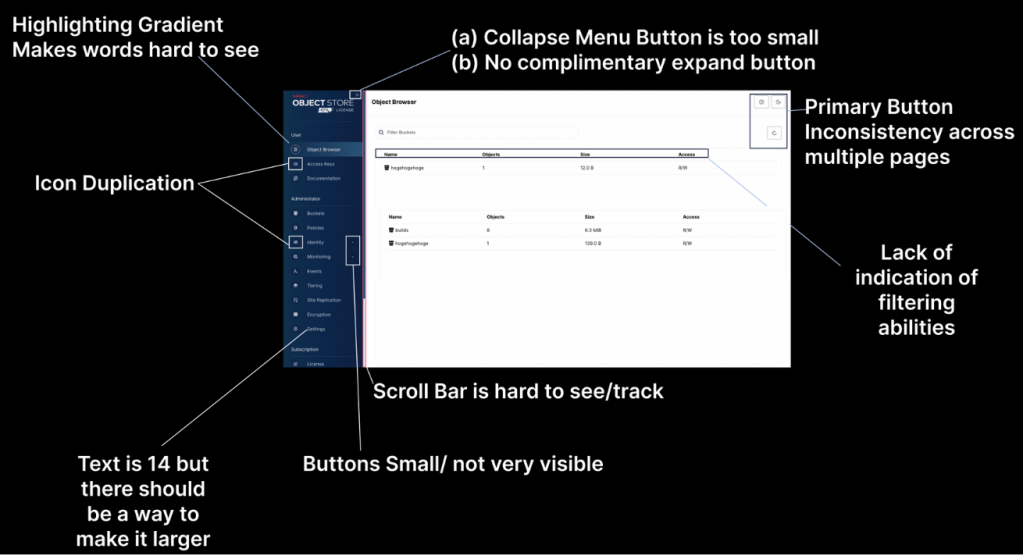
- Identified Issues: Color combinations, text size, onboarding experience, console usability
- Recommendations: Guided tutorials, accessibility features, improved console navigation.
- Expected Impact: Improved user confidence and increased adoption.
Project Overview
This project started with a conversation I had with a friend who’s a software engineer. They introduced me to MinIO, and as someone with a background in SaaS and a love of AI, I wanted to dig into this tool that was helping engineers in fields like autonomous vehicles and conversational AI. My goal was to understand how people were using MinIO, what was slowing them down, and how to make it better.
* This study was vital for MinIO as it aimed to enhance the overall user experience, making the product more accessible and intuitive for users across various industries.
Project Timeline:
- November 10–14, 2024: Conducted walkthroughs of MinIO’s website and console, and met with stakeholders to understand pain points.
- November 15–21, 2024: Identified key usability issues and defined research methodologies.
- November 22–28, 2024: Recruited participants and developed interview frameworks.
- November 29–December 7, 2024: Conducted semi-structured interviews and observational research to uncover user challenges.
- December 8–10, 2024: Synthesized findings and delivered actionable recommendations to the product and design teams.

Problem:
MinIO’s user experience was obstructed by several pain points, particularly in the onboarding process, console usability, and accessibility. New users often found themselves lost due to a lack of clear guidance, while experienced users struggled with navigation, small icons, and low accessibility features, which hindered their ability to complete tasks efficiently.
Process:
As the UX lead, my goal was to address these issues by using a combination of qualitative and quantitative methods. The approach focused on identifying pain points and providing practical, user-centered solutions.
User Interviews: Conducted semi-structured interviews with users from various industries to understand where they were facing difficulties, including navigating workflows and starting out with the tool.
Heuristic Evaluation: I applied Nielsen and Norman’s Usability Heuristics to assess the console’s design, identifying areas for improvement like consistency and error prevention.
Accessibility Assessment (POUR Principles): I analyzed the platform’s accessibility, focusing on text size, contrast, and overall usability for users with visual impairments.
Project Summary:
MinIO is a high-performance object storage tool designed to manage large amounts of unstructured data, such as images and videos. While the tool’s capabilities are strong, it faced significant usability challenges, especially for new users during onboarding and for experienced users navigating the console. These issues made it difficult for users to fully engage with the platform and explore its features. My project focused on identifying these usability hurdles and recommending solutions to streamline the user experience, making it more accessible and intuitive.
Key Outcomes:
- Enhanced Onboarding: Developed clear guided tutorials and contextual help to improve the onboarding experience for new users.
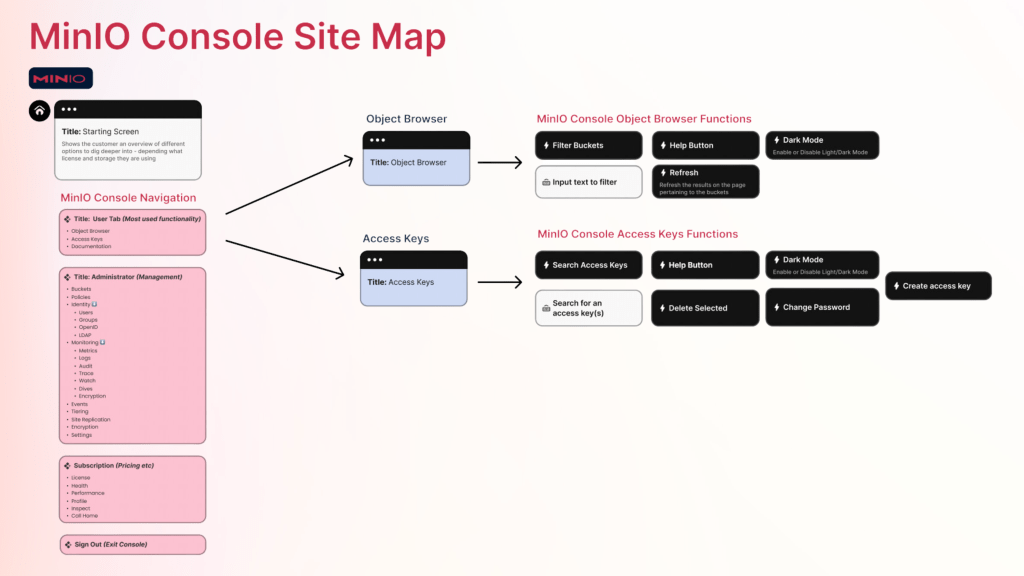
- Console Usability: Improved the console interface by increasing icon size, clarifying layout, and adding accessibility features like zoom and contrast adjustments.
- Streamlined Navigation: Simplified workflows and provided easier access to key features, reducing friction and enhancing overall usability.
Team: Vera Schulz & MinIO Product Team
Project Timeline:
- June 1–5, 2024: Conducted walkthroughs of MinIO’s website and console, and met with stakeholders to understand pain points.
- June 6–12, 2024: Identified key usability issues and defined research methodologies.
- June 13–20, 2024: Recruited participants and developed interview frameworks.
- June 21–30, 2024: Conducted semi-structured interviews and observational research to uncover user challenges.
- July 1–3, 2024: Synthesized findings and delivered actionable recommendations to the product and design teams.
Problem:
MinIO’s user experience was obstructed by several pain points, particularly in the onboarding process, console usability, and accessibility. New users often found themselves lost due to a lack of clear guidance, while experienced users struggled with navigation, small icons, and low accessibility features, which hindered their ability to complete tasks efficiently.
Process:
As the UX lead, my goal was to address these issues by using a combination of qualitative and quantitative methods. The approach focused on identifying pain points and providing practical, user-centered solutions.
- Heuristic Evaluation: I applied Nielsen and Norman’s Usability Heuristics to assess the console’s design, identifying areas for improvement like consistency and error prevention.
- Accessibility Assessment (POUR Principles): I analyzed the platform’s accessibility, focusing on text size, contrast, and overall usability for users with visual impairments.
- User Interviews (June 21–30, 2024): Conducted semi-structured interviews with users from various industries to understand where they were facing difficulties, including navigating workflows and starting out with the tool.
Outcome:
- Onboarding Experience: Introduced clear, step-by-step tutorials and contextual documentation to help users feel confident when starting with MinIO.
- Console Usability: Addressed key accessibility issues, such as icon sizes and contrast, and added customization options like zoom and font adjustments.
- Navigation Simplification: Redesigned workflows and provided easy access to essential features, reducing confusion and improving efficiency for users.
These insights pointed directly to where I could make recommendations that would have a real impact.
Impact:
The improvements resulted in a more intuitive and accessible MinIO platform. By addressing critical usability barriers—such as onboarding challenges, accessibility limitations, and navigation issues—the platform became easier for users to adopt and explore. These changes not only helped improve user satisfaction but also positioned MinIO as a more user-friendly tool for managing large data volumes. The overall impact was a smoother onboarding process, more efficient workflows, and a broader user base.
Reflections & Learnings Key Insights
For a full overview of all the recommendations please visit this presentation!
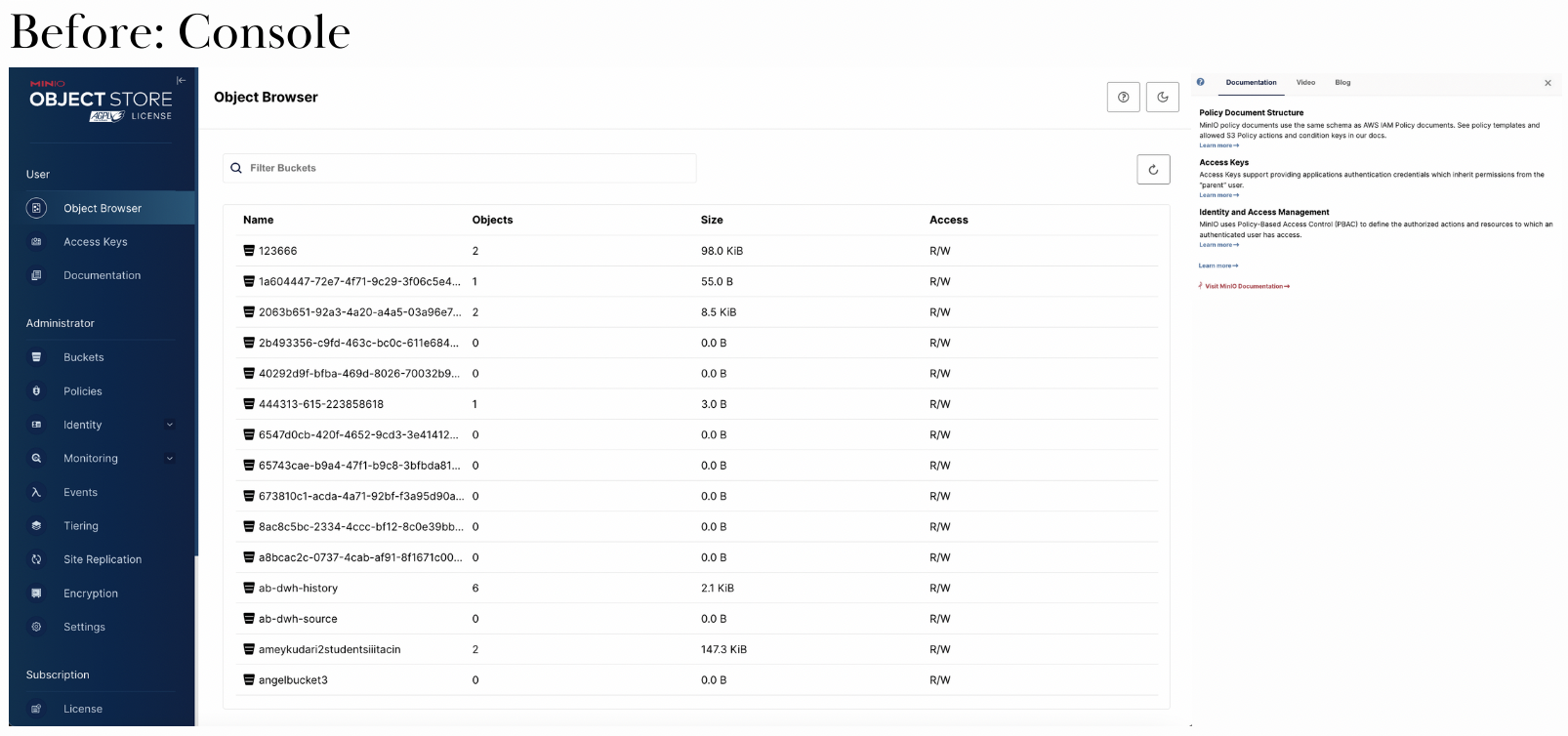
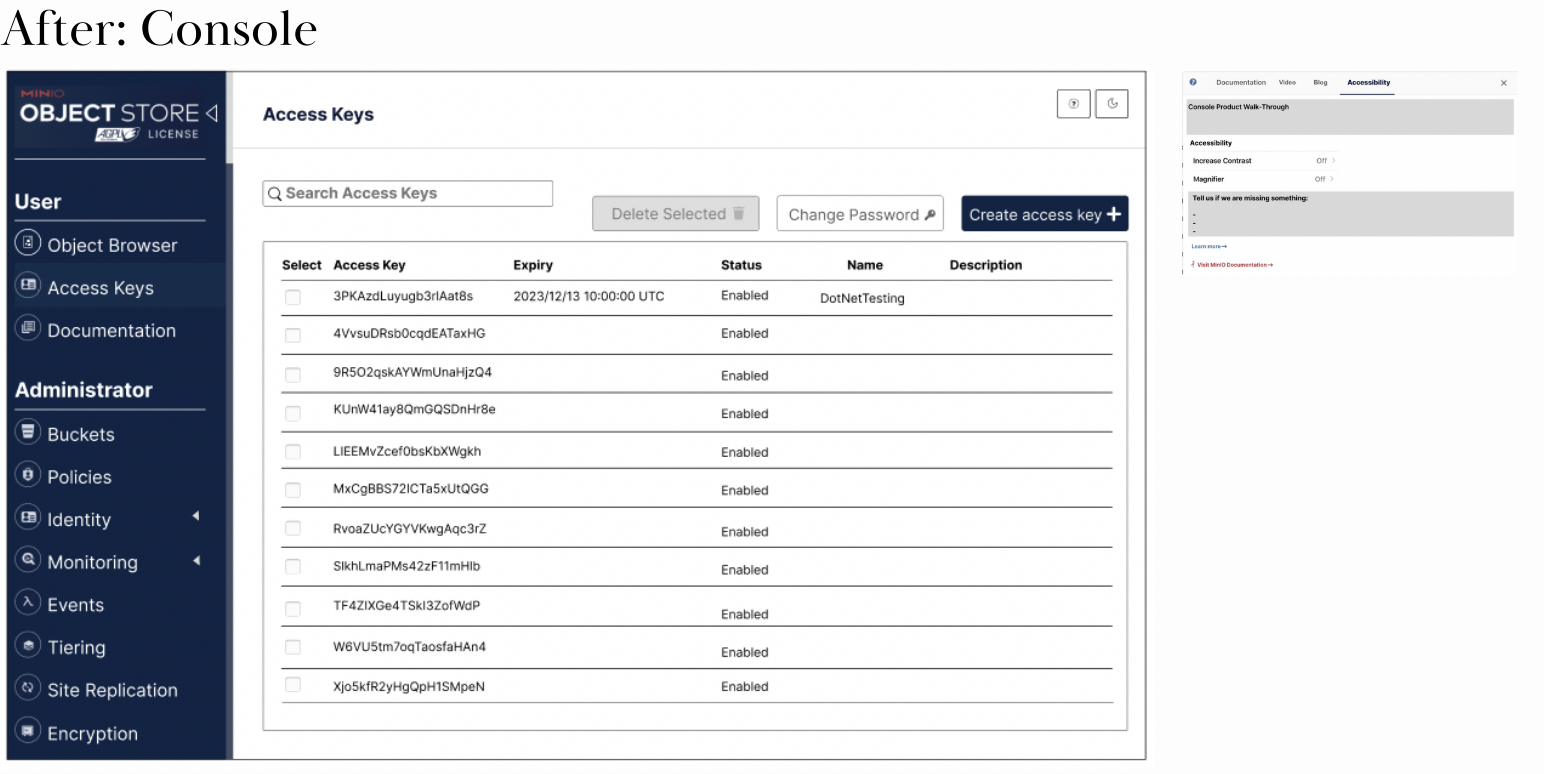
With a clear understanding of what users needed, I put together specific recommendations to help MinIO be as intuitive as it was powerful.
- Enhanced Onboarding: I recommended adding guided tutorials and interactive help, so new users would have a clear, step-by-step path to get started and understand how to navigate the platform.
- Accessibility Upgrades: Adding features like zoom options, adjustable fonts, and color contrast settings would allow users to customize the console to meet their needs. This way, MinIO could be usable for everyone.
- Simplified Navigation and Feedback Loop: Simplifying the navigation in the console and providing easy access to relevant documentation would allow users to find answers quickly and reduce frustration. Setting up a feedback loop could also help the team keep improving the UX based on real-time user insights.
These changes would make MinIO easier to adopt, more accessible, and ultimately more valuable to all users.
Conclusion:
If these recommendations are implemented, MinIO will be able to offer a more accessible, intuitive experience for users, allowing people to get started quickly and find value in the platform without unnecessary frustration. By addressing these UX pain points, MinIO could boost user confidence, encourage adoption, and position itself as a trusted, user-friendly tool for managing complex data.
This project was all about bringing the human element into a powerful technology tool, helping every user—whether new or experienced—get the most out of what MinIO has to offer.
 Vera J. Schulz